
If you’ve ever walked into my house and said “Hey, turn on the lights” — there’s a good chance the house already knew you were coming. That’s not magic. That’s Home Assistant.
I’ve been running Home Assistant for a while now, and at this point it’s less of a smart home platform and more of a living, breathing automation brain for everything in my house. Here’s a look at what’s under the hood.
The Foundation: Hardware & Infrastructure
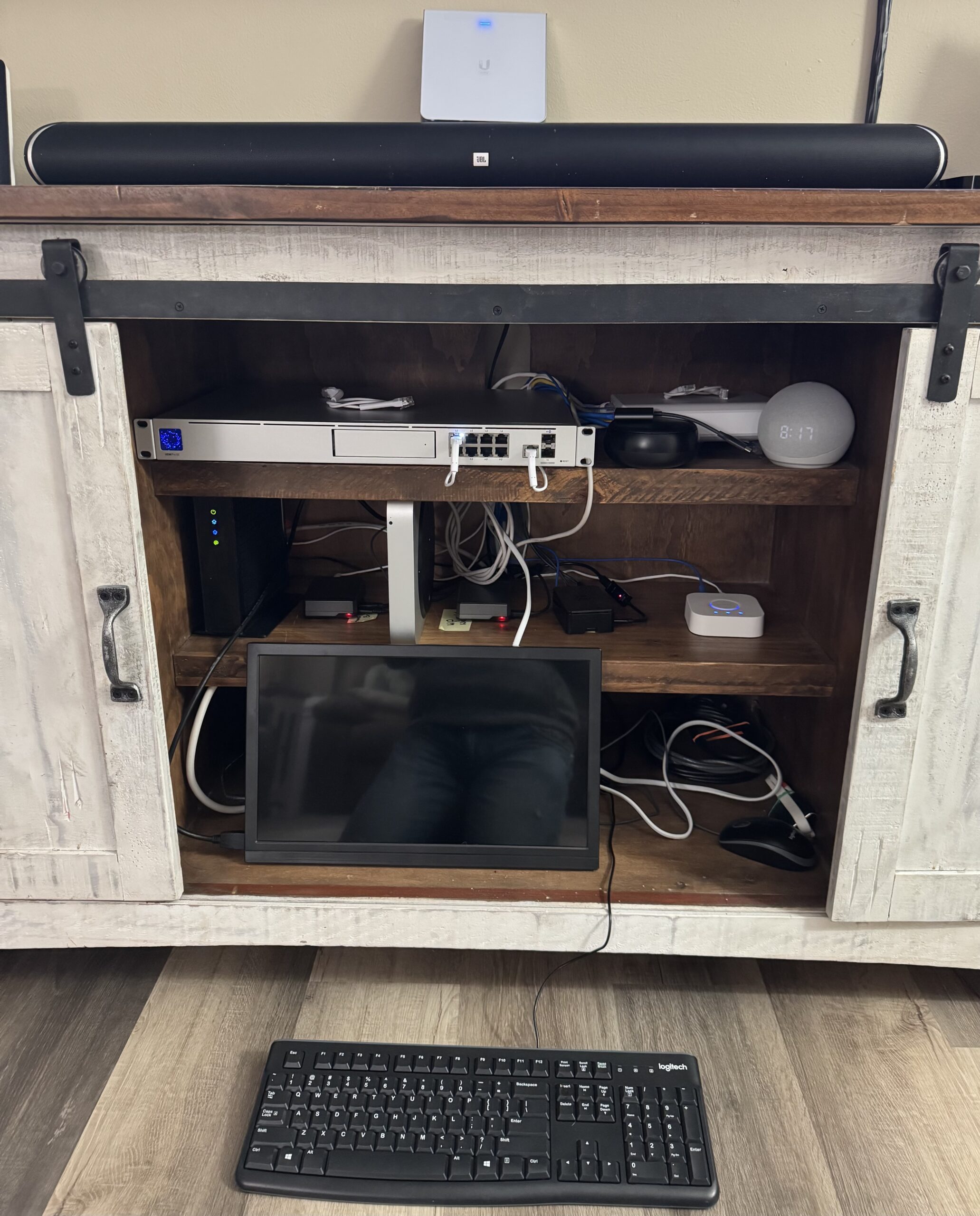
Everything runs on a Raspberry Pi sitting on my local network, which means no cloud subscriptions, no data leaving my house, and no waiting on some company’s servers to respond. Fast, private, and fully in my control.
The network itself is built on Ubiquiti UniFi — the same gear I install for clients through The UI Guys. A UDM Pro SE at the core, VLANs to keep things separated, and rock-solid Wi-Fi throughout the house. A reliable network isn’t optional when your home depends on it.
The Devices: 277+ and Counting
I’m running over 277 smart devices on a mix of Zigbee and Z-Wave and other protocols — both local, both fast, neither dependent on the internet. My Zigbee coordinator is a SONOFF Zigbee Dongle-E, and Z-Wave handles things like my garage door relay (a Zooz ZEN51).
Sprinkled throughout are smart locks, lighting, sensors, and switches — all talking directly to Home Assistant without any third-party cloud in the middle.
Presence Detection: The House Knows Where You Are
One of my favorite parts of the setup is ESPresense — a room-level Bluetooth presence tracking system. Small ESP32 nodes in 8 rooms of the house pick up BLE signals from my iPhone and report back to Home Assistant with a confidence score and distance estimate.
The result? The house knows not just that I’m home — it knows which room I’m in. That opens the door to some seriously context-aware automation.
Automations That Actually Do Something
Here’s where things get fun. Home Assistant’s automation engine lets you build logic that would take a professional programmer hours to code — but in a visual, YAML-based interface that I can tune in minutes.
A few of my favorites:
-
- Randy Almost Home — When my iPhone enters a geofence a few miles out, the house starts preparing. Lights adjust, the thermostat bumps up or down, and the alarm gets ready to disarm.
-
- Back Porch Detection — UniFi Protect cameras watch the back porch. When a person or vehicle is detected, the living room TV automatically switches to the camera feed. No fumbling with remotes.
-
- Time For Bed Button — One tap locks both doors, dims the lights, arms the alarm, and sends me a confirmation notification. The whole house locks down in about 10 seconds.
-
- Morning Auto-Disarm — At a set time on weekdays, the alarm disarms automatically so I’m not fumbling with a keypad half-asleep.
-
- Laundry Notifications — Power monitoring on the washer and dryer sends a push notification when a cycle finishes. No more forgotten laundry sitting in the machine.
Integrations: Everything Talking to Everything
Home Assistant’s integration ecosystem is massive. Here’s what’s connected in my setup:
-
- UniFi Protect — All cameras stream directly into Home Assistant. Motion events from the cameras feed directly into automations.
-
- Alarmo — A custom alarm panel built right into HA. Arm/disarm via app, keypad, NFC, or automation.
-
- Apple HomeKit / Siri — Everything is bridged to HomeKit so I can use Siri and the Home app. “Hey Siri, goodnight” works just fine.
-
- Amazon Alexa — Voice control via Alexa speakers for anyone in the house who prefers it.
-
- iCloud CalDAV — My Reminders and Family calendar sync into HA so automations can be calendar-aware.
-
- ESPresense — Room-level presence as described above. Game changer for context-aware automation.
The Dashboard
I run a custom Home Assistant dashboard with animated room cards, live camera feeds, lock and alarm status, and a full smart home report generated on demand. It’s displayed on a wall-mounted tablet in the house and accessible from my phone from anywhere.
The whole thing is deeply customized — cards with CSS animations, real-time sensor data, and a layout I’ve been tuning for months to make it both functional and actually pleasant to look at.
Why This Matters for What We Do
I don’t just run this stuff at home for fun (though it is fun). This hands-on experience with real-world smart home infrastructure directly informs the work we do at The UI Guys. When I recommend a network setup, a smart lock, or a Home Assistant integration to a client, it’s because I’ve run it myself, broken it, fixed it, and dialed it in.
If you’re curious about what a smart home integration could look like for your new build or existing home — give us a call. This stuff is genuinely impressive when it’s done right.